
Best Streaming Devices in 2026: The Expert, No-Fluff Guide

Whether you’re cutting the cord for the first time or already consider yourself a streaming pro, choosing the best streaming devices is more critical in 2026 than ever before.
With dozens of models now available, each promising speed, 4K quality, or unique features, it can feel overwhelming to know which fits your needs—the truth? Below, you’ll get prescriptive recommendations, not fluff
Table of Contents
Quick Picks (TL;DR)
- Best overall: Fire TV Stick 4K Max — 4K + Wi-Fi 6E, broad app support, substantial value.
- Best budget (HD): Roku Express — dead simple, cheap secondary-TV choice.
- Best premium: Apple TV 4K (128GB) — top-tier performance, updates, no ads UI; best if you use iPhone/iPad.
- Best for gamers / power-users: NVIDIA Shield TV Pro — Plex Server, AI upscaling, cloud gaming.
- Best all-in-one bar: Roku Streambar (4K) / Streambar Pro — 4K streaming + better TV sound in one box.
- Best smart TV pick: Amazon Fire TV Omni Series — Fire TV built-in; handy if you want zero extra boxes.
Note: If you were eyeing Roku Streambar SE, it’s 1080p. For 4K choose Streambar or Streambar Pro.
Spec & Feature Snapshot (What Changes Your Experience)
| Device | Max video & HDR | Audio | Wi-Fi | Storage | Voice | Notable strengths | Watch-outs |
|---|---|---|---|---|---|---|---|
| Fire TV Stick 4K Max | 4K, HDR10/10+, Dolby Vision, AV1/HEVC/VP9 | Dolby Atmos (apps) | 6E | ~16GB | Alexa | Great value, sideloading friendly, PIP | Home screen promos; smaller app RAM than boxes |
| Roku Express (HD) | 1080p, SDR | PCM stereo (app-dep) | 2.4/5GHz (varies by rev.) | n/a | — | Simple, cheapest that “just works” | No 4K/HDR, basic remote, no voice |
| Apple TV 4K (128GB) | 4K, HDR10/10+, Dolby Vision (no AV1) | Dolby Atmos | Wi-Fi 6 / Ethernet on 128GB | 128GB | Siri | Fastest UI, long updates, no ads UI, best casting for iOS | Higher price; fewer “tweaks”/sideload paths |
| NVIDIA Shield TV Pro | 4K, HDR10, Dolby Vision (streaming), no AV1 | Dolby Atmos/TrueHD passthrough (apps) | ac | 16GB (+USB) | Plex Server, AI upscaling, USB ports | Older chipset; premium price | |
| Roku Streambar / Pro (4K) | 4K, HDR10 (DV on Pro models varies by region) | Dolby Audio; stronger, room-filling sound | ac | n/a | Roku voice | 2-in-1: improves TV sound + adds 4K Roku | Fewer “power features”; DV support varies |
| Fire TV Omni (Smart TV) | 4K, HDR10; some sizes add DV | Dolby Digital Plus | Ethernet + Wi-Fi | TV-class | Alexa (hands-free) | No extra box needed; thin bezels | TV panel quality varies by size/series |
Codec note: AV1 support helps some newer streams play more efficiently at the same bitrate. Fire TV Stick 4K Max supports AV1; Apple TV 4K currently does not; Shield (2019) does not.
The Step-by-step Buyer’s Framework
Step 1: Define your use case
- Movies/Series + zero hassle: Apple TV 4K
- Budget / spare bedroom: Roku Express (HD) or Roku Express 4K if you want 4K
- Sports + reliability: Fire TV Stick 4K Max (great app support + Wi-Fi 6E)
- Gamers / local media nerds: NVIDIA Shield TV Pro (Plex Server, AI upscaling)
- Upgrade sound + add streaming: Roku Streambar (4K) / Streambar Pro
- No extra box: Fire TV Omni (check panel + HDR on your size)
Step 2: Match your TV & sound
- If your TV supports Dolby Vision + Atmos, pick a device that does both.
- Soundbar/AVR? Make sure the device/TV path supports passthrough properly.
Step 3: Network check (2 minutes)
- Test at fast.com. Aim 20 Mbps for 1080p; 50 Mbps+ for 4K.
- If your router supports Wi-Fi 6/6E, the Fire TV Stick 4K Max gets you the benefit.
Step 4: Remote & UI fit
- If you hate ads and want consistent updates: Apple TV 4K.
- If you want simple + app buttons: Roku.
- If you want deepest tweakability + sideloading: Fire TV / Shield.
Step 5: Longevity
- Apple TV & Shield tend to get longer OS support; sticks are cheaper but usually have shorter peak life.
Deep Dives (What You Won’t Get In Generic Listicles)
Fire TV Stick 4K Max — best overall value

Why it’s great:
- 4K + Dolby Vision + HDR10+ with AV1 decoding keeps streams efficient.
- Wi-Fi 6E reduces congestion if your router supports it.
- Alexa Enhanced Voice Remote (backlit keys, remote finder on latest gen).
- Live View PIP + Ambient Experience on Fire TV are surprisingly useful.
- Friendly to cloud gaming (Luna, Xbox Cloud), and sideloading utilities.
Best for: sports + movies users who want strong formats and the widest app store.
Consider if: you dislike a home screen with promos; want even more headroom → look at Apple TV 4K or Shield.
Roku Express — best true budget pick (HD)

Why it’s great:
- Cheapest way to turn an old TV into a reliable streaming screen.
- Same core app catalog as pricier Rokus; super straightforward setup.
Watch-outs:
- No 4K/HDR, basic remote (often no TV power/volume), no voice assistant.
- If you own a 4K TV, move up to Roku Express 4K/4K+.
Apple TV 4K (128GB) — best premium experience

Why it’s great:
- Fastest UI animations, top stability, and long support window.
- No ads in the OS, excellent privacy defaults, clean home screen.
- Deep integration with iPhone/iPad (keyboard input, AirPlay, Home control).
- 128GB + Ethernet version is the sweet spot for heavy app and game installs.
Trade-offs:
- Higher upfront price; no AV1 decoding. If you want sideload freedom, Fire TV/Shield is are loser.
- Check the official Apple TV 4K page for full specs.
NVIDIA Shield TV Pro — best for gamers & power users

Why it’s great:
- Plex Media Server built-in; mounts USB drives; two USB-A ports.
- AI upscaling can make 1080p content look cleaner on 4K sets.
- Cloud gaming via GeForce NOW; supports gamepads, keyboards, cameras.
- Dolby Vision (for streaming apps) + Dolby Atmos/TrueHD passthrough in many apps.
Trade-offs:
- Older SoC; no AV1. Still premium pricing—but unmatched flexibility.
Roku Streambar (4K) / Streambar Pro — best all-in-one

Why it’s great:
- Upgrades weak TV speakers and adds a 4K Roku in a single HDMI device.
- Clean UI, strong app coverage, Dolby Audio, easy dialog boost modes.
Note: Streambar SE is 1080p; choose Streambar/Pro for 4K.
Amazon Fire TV Omni (Smart TV) — best no-box setup
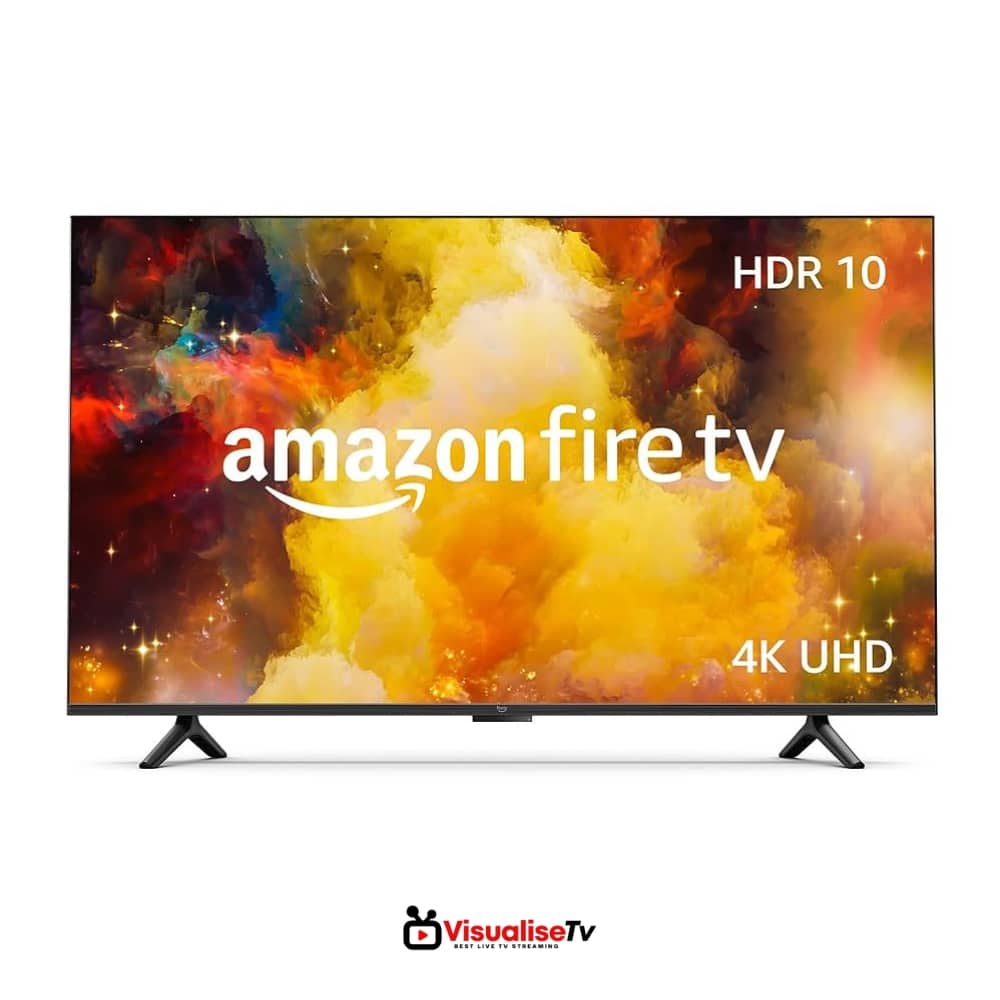
Why it’s great:
- Fire TV OS built-in; hands-free Alexa; slim bezels; simple setup.
- Multiple sizes; strong app catalog; great for kitchen/guest/living rooms.
Before you buy, check panel quality (contrast/brightness), HDR format by size, and number of HDMI ports for your gear.
What Matters When You Choose The Best Streaming Devices
- Your panel & audio chain (what your TV/soundbar supports)
- Codecs/HDR (Dolby Vision, HDR10+, AV1)
- Network (Wi-Fi 6/6E, wired option)
- UI & remote (daily happiness)
- Updates & privacy (ad load, OS longevity)
- Ecosystem (AirPlay/Home vs. Alexa/Google; sideloading)
- Storage & ports (games, large apps, local media)
Setup Playbooks (2–5 minutes each)
Movies & Atmos (Apple TV 4K)
- HDMI to eARC input on TV → TV eARC to soundbar/AVR
- Settings → Video: Match content frame rate & dynamic range
- Audio: Enable Dolby Atmos
Sports reliability (Fire TV Stick 4K Max)
- Use 5GHz/6GHz SSID; keep stick on HDMI with good airflow
- Developer options → turn off unnecessary overlays
- Apps → Clear cache on heavy apps monthly
Local media & cloud gaming (Shield Pro)
- Plug USB SSD → set up Plex Server
- Install GeForce NOW → link accounts
- AI upscaling: “Medium/High” based on taste
Troubleshooting cheat-sheet
- Buffering: switch to 5GHz/6GHz, move router closer, check ISP throttling; enable wired on Apple TV 4K (128GB) or use Ethernet adapter on sticks.
- No HDR/Dolby Vision: verify TV HDMI port supports it; enable “enhanced format” on that HDMI; use certified Ultra High Speed cable.
- No Atmos: ensure the app, device, and soundbar/AVR all support Atmos; set audio to “auto/bitstream/passthrough.”
- Remote lag: replace batteries, reduce Bluetooth interference, reboot device.
FAQs
What are the best streaming devices in 2026 for 4K TVs?
The best streaming devices in 2026 for 4K TVs are the Amazon Fire TV Stick 4K Max, Apple TV 4K, and NVIDIA Shield TV Pro. They all support 4K HDR formats like Dolby Vision and HDR10 for premium picture quality.
Read also: Best Streaming Services (Smart Picks 2026)
Which is the best streaming device in 2026 for sports fans?
For sports streaming, the Amazon Fire TV Stick 4K Max stands out thanks to Wi-Fi 6E for stable connections and wide app support. It ensures smooth live TV streaming with minimal buffering.
What is the best budget streaming device in 2026?
The best budget streaming device in 2026 is the Roku Express. It delivers smooth HD streaming at a very low price, making it perfect for secondary TVs or spare rooms.
Which streaming device works best with Netflix and Disney+ in 2026?
The Apple TV 4K offers the best overall Netflix and Disney+ experience in 2026. It supports Dolby Vision, Dolby Atmos, and delivers a smooth ad-free interface with frequent updates.
Best streaming device in 2026 for gaming – which one should I buy?
The NVIDIA Shield TV Pro is the best streaming device for gamers in 2026. It supports GeForce NOW cloud gaming, Plex Media Server, and Dolby Vision for both streaming and gameplay.
What is the best streaming device for families in 2026?
For families, the Roku Streambar is the best streaming device in 2026. It combines streaming with premium audio, easy-to-use parental controls, and support for all the major family-friendly apps.
Do I need Wi-Fi 6 for the best streaming devices in 2026?
While not mandatory, Wi-Fi 6 or 6E makes a big difference for the best streaming devices in 2026. Devices like the Fire TV Stick 4K Max perform better on crowded networks with Wi-Fi 6E.
Which is better in 2026: a smart TV or a standalone streaming device?
In 2026, standalone streaming devices like Apple TV 4K or Fire TV Stick 4K Max usually outperform built-in smart TVs. They get faster updates, support more apps, and deliver better codecs like AV1.
How much internet speed is needed for the best streaming devices in 2026?
To enjoy smooth performance on the best streaming devices in 2026, you need at least 20 Mbps for HD and 50 Mbps+ for 4K HDR streaming.
Are the best streaming devices in 2026 future-proof?
Yes. The Fire TV Stick 4K Max (AV1 + Wi-Fi 6E) and Apple TV 4K (128GB + Ethernet) are designed to be future-proof with strong hardware and long-term software support.
Final Verdict (Pick BY Profile)
- I want the best bang-for-buck: Fire TV Stick 4K Max
- I want the smoothest, no-ads OS and long support: Apple TV 4K (128GB)
- I want a cheap stick for a spare TV: Roku Express (or Express 4K if your TV is 4K)
- I want power features, Plex, and gaming: NVIDIA Shield TV Pro
- I want better sound + streaming in one HDMI: Roku Streambar (4K)/Pro
- I don’t want extra boxes at all: Fire TV Omni Series (check the exact panel/HDR for your size)





My brother recommended I might like this blog. He was once entirely right.
This publish truly made my day. You can not believe just how much time I had spent for this info!
Thank you!
Great article!
I honestly liked the manner you presented this idea.
It’s really good to see valuable content like
this online.
Thanks for posting.
Looking forward to reading more!