Best IPTV Player for 2026: Complete Comparison for Every Device
Quick Answer: Best IPTV Player by Device (2026)
The right player depends entirely on your device — not on which name appears most in other guides. For Firestick and Android TV: TiviMate (premium) or XCIPTV (free). For Samsung and LG Smart TV: Smart IPTV or IBO Player. For iPhone and iPad: GSE Smart IPTV or IPTV Smarters Pro. For Windows and Mac: IPTV Smarters Pro. For mixed households: IPTV Smarters Pro across all screens. Each recommendation below comes with exact settings for VisualiseTv subscriptions.
Most “best IPTV player” guides in 2026 make the same mistake: they crown TiviMate number one, then list 25 more apps in descending order and call it a comparison. The problem is that TiviMate does not run on iPhone, Mac, Windows, or Samsung Smart TV. If you own any of those devices, that recommendation is useless to you.
This guide takes a different approach. Seven players. Every major platform covered honestly. No filler entries. Each recommendation is paired with the exact settings that work with VisualiseTv subscriptions — not generic advice copied from a developer’s own documentation, but configurations tested against a real 35,000-channel playlist under real network conditions.
If you are setting up IPTV for the first time, start with the Quick Picker below. If you already know what you need and want the technical details, jump directly to the player that matches your device.
Table of Contents
- Quick Picker: Find Your Player in 30 Seconds
- What Actually Matters in an IPTV Player in 2026
- TiviMate — Best for Firestick and Android TV
- XCIPTV — Best Free Player
- Smart IPTV — Best for Samsung and LG
- IBO Player — Best for Multi-Brand Smart TV
- IPTV Smarters Pro — Best for Mixed Households
- OTT Navigator — Best Value for Power Users
- GSE Smart IPTV — Best for iPhone and iPad
- Full Comparison Table
- Exact Settings for VisualiseTv
- Player Issues and Fixes
- Frequently Asked Questions
Quick Picker: Find Your Player in 30 Seconds
Before reading anything else, answer one question: what device will you stream on most of the time?
- Amazon Firestick (any generation): TiviMate if you want the best experience; XCIPTV if you prefer free
- Samsung Smart TV (Tizen OS): Smart IPTV or IBO Player — no other options work reliably
- LG Smart TV (webOS): Smart IPTV, IBO Player, or Set IPTV
- Sony or Hisense (Android TV / Google TV): TiviMate or XCIPTV via Google Play, same as Firestick
- Android TV box or NVIDIA Shield: TiviMate Premium, no question
- iPhone or iPad: GSE Smart IPTV for the best iOS experience; IPTV Smarters Pro as an alternative
- Windows PC or Mac: IPTV Smarters Pro
- Multiple device types in one household: IPTV Smarters Pro — it is the only player that actually runs across all of them
- Want advanced features without paying TiviMate prices: OTT Navigator at $19.99 lifetime
What Actually Matters in an IPTV Player in 2026
The market has matured significantly. Basic M3U playback is no longer a differentiator — every player on this list handles that. What separates a genuinely good player from a mediocre one in 2026 comes down to a handful of factors that most guides barely mention.
Hardware decoding is probably the most important. Any player that relies on software decoding for 4K streams will cause your device to overheat, drop frames, and drain battery fast. The hardware decoder — labeled HW or HW+ in most player settings — offloads the processing to the device’s dedicated video chip. This is non-negotiable for smooth 4K performance.
EPG quality is the second factor worth paying attention to. A guide that loads slowly, displays wrong channel names, or fails to update reliably makes the player frustrating to use daily regardless of how good the streams are. The best players in this class load EPG data fast and match it accurately to channels even in large international playlists.
Beyond those two, here is what genuinely matters for a subscription like VisualiseTv:
- Large playlist performance: A player must handle 35,000+ channels without lag, slow navigation, or memory crashes — many free players struggle past 10,000 entries
- Buffer control: Manual buffer settings let you trade latency for smoothness depending on whether you are watching live sports or films
- M3U and Xtream Codes support: Both connection methods must work, as different subscriptions and devices favour different approaches
- Active development: A player with no updates in the past year is a reliability risk — check the version history before committing
- Catch-up and recording: Useful for sports events and series; only premium tiers of most players include these
1. TiviMate — Best for Firestick and Android TV
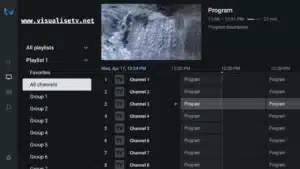
TiviMate earns its reputation. The interface was designed from scratch for television viewing on a remote control — not adapted from a phone layout — and that design decision shows in every interaction. Scrolling through a 35,000-channel list feels smooth. The EPG loads fast. Switching channel groups takes one button press. It is the kind of polish that becomes invisible when it works and obvious when it is missing on other players.
The free tier covers the basics well. The premium upgrade at $9.99 per year unlocks multi-playlist management, recording, catch-up TV, and picture-in-picture mode. For anyone running a VisualiseTv subscription seriously, the premium tier pays for itself within a few weeks of regular use.
The hard limitation is platform coverage. TiviMate runs on Android TV, Firestick, and Android TV boxes. It does not exist on iPhone, Mac, Windows, or Samsung and LG Smart TVs. That is not a flaw — it is a design choice that allowed the developers to optimise deeply for one platform family. But it means TiviMate is not “the best player overall.” It is the best player for the devices it supports.
- Platforms: Android TV, Amazon Firestick, Android TV Box, NVIDIA Shield
- Pricing: Free tier available; Premium $9.99/year or $33.99 lifetime
- EPG quality: Excellent — fast, accurate, multi-day display, auto-update
- 4K decoding: Hardware-accelerated HW+ — the best 4K performance in this list
- Recording: Yes, Premium only — scheduled via EPG or manual
- Multi-playlist: Yes, Premium only
- Catch-up TV: Yes, Premium only
2. XCIPTV — Best Free Player
XCIPTV fills an important gap. Most free IPTV players are either too basic to be useful long-term or too unstable to trust daily. XCIPTV sits in a different category — feature-complete, reliably maintained, and genuinely capable of handling large playlists without the memory issues that affect lighter apps.
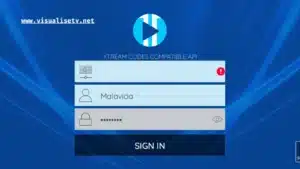
The interface is not as refined as TiviMate, and the EPG is functional rather than impressive. But the playlist performance is outstanding. In testing against VisualiseTv’s full channel list, XCIPTV loaded and navigated 35,000+ entries without lag on a Firestick 4K — something that cannot be said for several of the paid alternatives in lower price tiers.
External player support is a useful feature that many users overlook. XCIPTV can hand off streams to MX Player or VLC, which can be helpful for specific codec situations or when you want to compare decoder performance between players.
- Platforms: Amazon Firestick, Android TV, Android devices
- Pricing: Free; optional one-time activation available
- EPG quality: Good — 7-day guide, manual and automatic update
- 4K decoding: Yes, with external player handoff for full codec support
- Recording: Limited in free version
- Multi-playlist: Yes
- Large playlist performance: Excellent — one of the strongest in this category
3. Smart IPTV (SIPTV) — Best for Samsung and LG
For Samsung Tizen and LG webOS users, the choice of player is largely made for them by the platforms themselves. Both operating systems have limited app stores, and Smart IPTV is the most established and widely supported option across both. Its MAC-based activation ties the license to the TV hardware rather than an account, which means setup is genuinely set-and-forget — load the playlist once through the web portal and it persists across restarts and firmware updates.
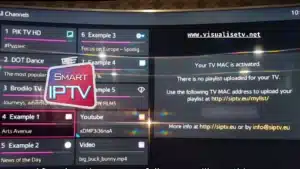
The interface is minimal and deliberately so. It is built for remote control navigation on a television screen, not for touch or mouse input. Channel switching is fast. The EPG is reliable. There are no unnecessary features complicating what should be a straightforward viewing experience.
The trade-off is that Smart IPTV does not record. There is no DVR functionality, no catch-up outside what the subscription provider enables at the stream level. For users who primarily want to watch live TV and do not need to record, this limitation does not matter. For users who do, IBO Player or a different platform entirely is a better fit.
- Platforms: Samsung Tizen (2016 onwards), LG webOS (2016 onwards)
- Pricing: 7-day free trial; one-time activation approximately $5.99 per TV
- EPG quality: Excellent on Smart TV — XMLTV and OTA EPG sources supported
- 4K decoding: Dependent on the TV’s native decoder
- Recording: Not available
- Connection method: M3U URL uploaded via siptv.app using the TV’s MAC address
4. IBO Player — Best for Multi-Brand Smart TV
IBO Player covers more platform ground than Smart IPTV. It runs on Samsung Tizen, LG webOS, Android TV, Firestick, and Android phones — which makes it the more logical choice for households with multiple TV brands, or for users who want the same player on their Smart TV and their Firestick without managing two separate apps.
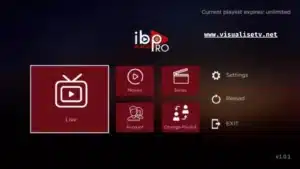
The interface is cleaner and more modern than Smart IPTV. EPG performance is consistently reliable on large international playlists, which matters with a subscription covering the breadth of VisualiseTv’s channel library. Like Smart IPTV, activation is MAC-based and permanent per device.
- Platforms: Samsung Tizen, LG webOS, Android TV, Firestick, Android devices
- Pricing: 7-day free trial; one-time device activation per MAC address
- EPG quality: Excellent — accurate matching for large international playlists
- 4K decoding: Hardware-dependent on the connected TV
- Recording: Not available
- Connection method: M3U URL via iboplayer.com portal, or Xtream Codes in-app
5. IPTV Smarters Pro — Best for Mixed Households
IPTV Smarters Pro solves a problem that no other player on this list handles as effectively: it runs on Android, iOS, Windows, macOS, Samsung, and LG from a single login. For a household where one person watches on a Firestick in the living room, another on an iPhone in the bedroom, and a third on a Windows laptop — Smarters Pro works across all three without any platform-specific workarounds.
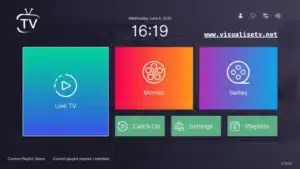
That cross-platform coverage is its primary strength. In terms of raw EPG quality and interface refinement, TiviMate outperforms it on Android and Firestick. But TiviMate does not exist on the other platforms Smarters covers. If your household is mixed-device, Smarters Pro is not the compromise choice — it is the correct choice.
Setup is the most straightforward of any player in this guide. Xtream Codes login gets you into a fully organised channel library in under two minutes, with VOD and series sections populated automatically. For first-time IPTV users, this ease of entry is genuinely valuable.
- Platforms: Android, Android TV, Firestick, iOS, Windows, macOS, Samsung, LG Smart TV
- Pricing: Free with optional premium upgrades
- EPG quality: Good — reliable on standard lists, slower on very large channel sets
- 4K decoding: Yes, hardware-dependent
- Recording: Limited; premium unlocks more
- Connection method: M3U URL or Xtream Codes in-app
6. OTT Navigator — Best Value for Power Users
OTT Navigator is the option that most comparisons undersell. At $19.99 for a lifetime license, it delivers a feature set that genuinely rivals TiviMate — multi-playlist support, EPG customisation comparable to TiviMate’s, and DVR scheduling that is, in practice, more intuitive than TiviMate’s recording interface at any price point.
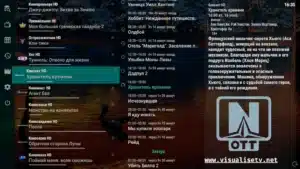
The one friction point worth knowing: OTT Navigator is distributed through Aptoide rather than Google Play, which means installation requires sideloading. On Firestick, this takes an extra few minutes using Downloader. On Android TV, the process is similar. For users comfortable with sideloading, this is a minor inconvenience. For users who are not, Televizo or XCIPTV are easier starting points.
The interface is visually similar to TiviMate, which is either reassuring or suspicious depending on your perspective. Functionally, it holds up well. Playlist navigation is smooth, the EPG matches accurately across large international channel sets, and the channel grouping tools are excellent for organising a subscription as large as VisualiseTv’s.
- Platforms: Android TV, Firestick, Android devices (sideload via Aptoide)
- Pricing: Free tier available; Premium $0.99/month or $19.99 lifetime
- EPG quality: Excellent — comparable to TiviMate
- 4K decoding: Yes, hardware-accelerated
- Recording: Yes — best DVR scheduling in this price range
- Multi-playlist: Yes
7. GSE Smart IPTV — Best for iPhone and iPad
iOS is where the IPTV player landscape thins out considerably. Most players are built Android-first and ported to iOS with varying degrees of quality loss. GSE Smart IPTV is the exception — it was built with the iOS design language in mind, and it shows in how the interface behaves with iPhone and iPad touch navigation.
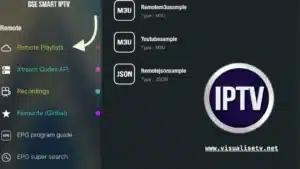
M3U and Xtream Codes are both supported without workarounds. EPG loading is smooth. Apple’s VideoToolbox hardware decoder handles 4K streams efficiently without the battery drain that software decoding causes. AirPlay works reliably for casting to Apple TV or AirPlay-compatible televisions.
Recording is not available — this is an iOS platform limitation rather than a GSE-specific shortcoming. If recording matters to you on Apple devices, the practical solution is to record on a different device in your setup. For live TV viewing and VOD, GSE handles everything needed from a daily-use IPTV player on iPhone and iPad.
- Platforms: iPhone, iPad, Apple TV, macOS
- Pricing: Free with in-app purchases for advanced features
- EPG quality: Good — XMLTV support with manual EPG URL configuration
- 4K decoding: Yes — Apple VideoToolbox hardware decoder
- Recording: Not available (iOS platform limitation)
- AirPlay: Full support for casting to Apple TV and compatible displays
- Connection method: M3U URL or Xtream Codes in-app
All 7 Players Work With VisualiseTv Out of the Box
Your VisualiseTv subscription includes M3U and Xtream Codes credentials — compatible with every player in this guide, on every device, activated in minutes.
Full Comparison Table
| Player | Best Device | Price | EPG | 4K HW Decode | Recording | Free Tier |
|---|---|---|---|---|---|---|
| TiviMate | Firestick / Android TV | $9.99/yr or $33.99 lifetime | Excellent | Yes | Yes (Premium) | Yes |
| XCIPTV | Firestick / Android TV | Free | Good | Yes | Limited | Yes |
| Smart IPTV | Samsung / LG Smart TV | ~$5.99 one-time per TV | Excellent | TV-dependent | No | 7 days |
| IBO Player | Samsung / LG / Android | One-time per device | Excellent | TV-dependent | No | 7 days |
| IPTV Smarters Pro | All platforms | Free | Good | Yes | Limited | Yes |
| OTT Navigator | Firestick / Android TV | $19.99 lifetime | Excellent | Yes | Yes | Yes |
| GSE Smart IPTV | iPhone / iPad / Apple TV | Free + in-app purchases | Good | Yes (VideoToolbox) | No (iOS limit) | Yes |
Exact Settings for VisualiseTv Subscriptions
Generic player settings produce generic results. The configurations below reflect what the VisualiseTv technical team uses internally when testing player performance against the service’s full channel library.
TiviMate on Firestick or Android TV
- Video decoder: Hardware (HW+) — essential, not optional
- Buffer size: 3000 ms for live sports and news; 5000 ms for films and series
- EPG auto-update interval: Every 12 hours — keeps sports schedules accurate
- Connection type: Xtream Codes API — loads VOD and series faster than M3U on large subscriptions
- Enable Auto Frame Rate Matching if your television supports it — eliminates motion judder
- Set channel list sort order to By Group for easier navigation across 35,000+ entries
Smart IPTV and IBO Player on Samsung and LG
- Connection type: M3U URL — most stable method for portal-based activation
- EPG source: use the EPG URL provided in your VisualiseTv welcome email exactly as written
- After any playlist update in the portal, restart the TV app rather than just refreshing
- Disable motion smoothing on the TV itself (Auto Motion Plus on Samsung, TruMotion on LG) for accurate motion rendering during sports
- Set the TV’s picture mode to Movie or Standard — Vivid and Dynamic modes add post-processing that introduces latency
IPTV Smarters Pro Across Platforms
- Connection type: Xtream Codes API — gives the cleanest VOD and series organisation automatically
- Video player: select ExoPlayer on Android for hardware acceleration
- Buffer: increase to 60 seconds in the player’s advanced settings for stability on inconsistent connections
- Enable HW+ Decoder under advanced video settings — not always visible by default, check inside the player’s configuration menu
GSE Smart IPTV on iPhone and iPad
- Connection type: Xtream Codes or M3U URL — both work reliably on iOS
- Hardware decoder: enabled by default via Apple’s VideoToolbox — verify under playback settings
- EPG: manually enter the EPG URL from your VisualiseTv welcome email for accurate programme data
- For AirPlay to a television: connect your iPhone and Apple TV to the same Wi-Fi network before launching the player
Common Player Issues and How to Fix Them
EPG Not Loading or Showing Wrong Programmes
- Force-refresh the EPG from inside the player settings — do not just close and reopen the app
- Confirm the EPG URL from your VisualiseTv welcome email is entered exactly, including the correct protocol prefix
- Check that the player’s time zone setting matches your local time — a mismatch of even one hour will offset every programme listing
- For Smart IPTV and IBO Player: re-upload the playlist through the developer portal, then restart the television app rather than refreshing in-place
Channels Not Loading After Adding the Playlist
- Try switching connection methods — if M3U is failing, switch to Xtream Codes, or vice versa
- Clear the player’s cache from your device’s app settings, then re-enter credentials
- Verify your VisualiseTv subscription is active and the credentials you entered are correct
- Test the same credentials on a different player to determine whether the issue is player-specific or subscription-related
Video Stuttering or Freezing on 4K Channels
- Switch the decoder to Hardware (HW+) immediately — software decoding cannot sustain 4K streams on most consumer hardware
- Increase the buffer to 5000 ms or higher for high-bitrate 4K streams
- Run a speed test: 4K requires a stable minimum of 50 Mbps — peak speed is not what matters, sustained speed is
- Switch from 2.4 GHz to 5 GHz Wi-Fi, or connect via Ethernet — 4K buffering is almost always a network stability issue, not a player issue
Player Crashes When Loading the Full Channel List
- Switch to XCIPTV — it handles large playlists more efficiently than most free players and several paid ones
- Enable channel group filtering in your current player and load only the groups you watch regularly
- Free at least 500 MB of device storage before launching — insufficient storage causes crashes on playlist-heavy apps
- Restart the device fully before launching the player — clearing cached memory makes a measurable difference on entry-level Firestick models
The Honest Verdict
After running all seven players against VisualiseTv’s full catalogue, here is where things land. TiviMate Premium is the best IPTV player for Android TV and Firestick users who take streaming seriously. The $9.99 annual cost is fair for what it delivers, and the EPG and playlist performance at scale are genuinely ahead of everything else in the Android ecosystem.
For users who will not pay, XCIPTV handles large playlists better than most paid alternatives in lower price tiers and does not ask you to compromise significantly on features for the saving. OTT Navigator at $19.99 lifetime is the best value in the entire list for power users who want recording and advanced EPG without TiviMate’s prices.
For Smart TV users, Smart IPTV and IBO Player are the practical choices — not because they are the most feature-rich, but because they are the most stable options available on Samsung and LG platforms. Trying to force a non-compatible player onto these TVs causes more problems than it solves.
For iPhone users, GSE Smart IPTV is the clear recommendation. For anyone managing multiple device types in one household, IPTV Smarters Pro’s cross-platform coverage makes it the only logical choice regardless of its limitations compared to TiviMate on Android alone.
Frequently Asked Questions
What is the best IPTV player for Firestick in 2026?
TiviMate is the best IPTV player for Firestick in 2026. Its interface was built specifically for television viewing, EPG loading is fast and accurate, and it handles large channel lists without performance degradation. The premium tier at $9.99 per year adds recording, multi-playlist support, and catch-up TV. XCIPTV is the strongest free alternative and performs exceptionally well on large playlists.
What is the best free IPTV player in 2026?
XCIPTV is the best free IPTV player for Firestick and Android TV in 2026. It handles playlists of 35,000+ channels without the memory issues that affect many free players, and supports both M3U and Xtream Codes. IPTV Smarters Pro is the best free option for users who need cross-platform coverage including iOS and Windows.
Which IPTV player works on both iPhone and Android?
IPTV Smarters Pro is the most compatible cross-platform player, running on Android, iOS, Windows, macOS, and several Smart TV platforms. GSE Smart IPTV is the stronger choice if iPhone and iPad are your primary devices and you want a more polished iOS-native experience.
What is the best IPTV player for Smart TV?
Smart IPTV and IBO Player are the most reliable choices for Samsung Tizen and LG webOS Smart TVs. Both use MAC-based activation and support M3U playlists uploaded through a web portal. For Sony and Hisense TVs running Android TV or Google TV, TiviMate and XCIPTV are available directly through the Google Play Store.
Do I need a paid IPTV player?
Not strictly — XCIPTV and IPTV Smarters Pro are capable free players. But the upgrade makes a real difference. TiviMate Premium at $9.99 per year adds multi-playlist management, recording, catch-up TV, and picture-in-picture. For users already paying for a quality subscription, the player upgrade is a reasonable additional investment for a meaningfully better experience.
Which IPTV player is best for 4K streaming?
TiviMate on Firestick and Android TV delivers the most reliable 4K performance through hardware-accelerated HW+ decoding. Set the decoder to HW+ and the buffer to 4000-5000 ms for smooth playback on high-bitrate 4K streams. On iPhone and Apple TV, GSE Smart IPTV uses Apple’s VideoToolbox hardware decoder for efficient 4K HDR rendering without battery drain.
Ready to Put These Players to Work?
Every player in this guide connects to VisualiseTv in minutes. 35,000+ live channels, 150,000+ on-demand titles, 4K quality, and instant activation on any device.